
Key concepts & terminology
A handful of ideas carry the whole app. Every guide assumes them, so it is worth a few minutes here first.
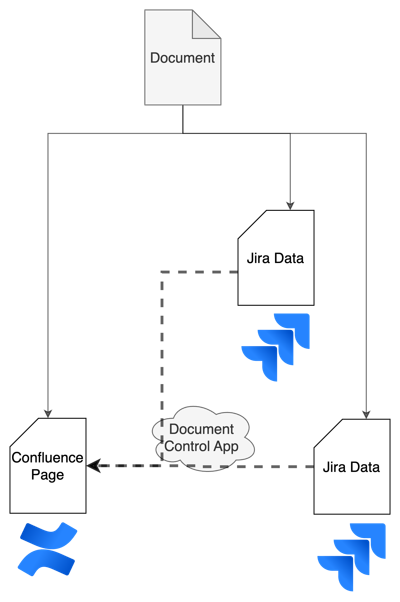
Documents, versions, and IDs
Every controlled document has a permanent Document ID (a Jira key such as DOC-718) that never changes, no matter how many times the document is revised. Each revision gets its own version number. Changes are tracked through a separate Document Change ID (such as DC-849). The document table shows both keys, in the DOC and DC columns.
The metadata behind each document (owner, authors, approvers, approval dates) lives on the Jira work items. You rarely need to look at it, because Document Control surfaces what matters inside Confluence.
Two spaces: Draft and Released
Document Control uses two Confluence spaces:
- Draft, where you create documents and work on them before approval.
- Released, where approved, read-only documents live. You cannot edit a released document directly; you create a new version instead.
Document statuses
A document moves through a small set of statuses during its life. The approval half of that run is two separate gates, not one.
External files
You can attach Word, Excel, PDF, and other external files to a controlled document and embed them in the Confluence page. The file is then version-controlled with the record rather than living somewhere else.