
Control a safety risk and re-score it
Controlling a risk means changing the product, not describing the risk more carefully. This guide covers choosing the mitigation, connecting it to the requirement that will actually build and verify it, and re-scoring the risk once the controls are in place.
Choose the mitigation strategy
ISO 14971 gives three kinds of control in a fixed order of preference: inherent safety by design and manufacture, then protective measures, then information for safety. Work down that list rather than picking the convenient one. Key concepts explains what each kind buys you and why the order is not negotiable.
- Open the risk and identify which mitigation strategies apply.
- Describe the mitigation itself in the Mitigation field. Say what changes about the product, not that the risk is reduced.
- Set the Mitigation strategy on the Control tab: Inherent safe design and manufacture, Protective measures, or Information for safety and training.
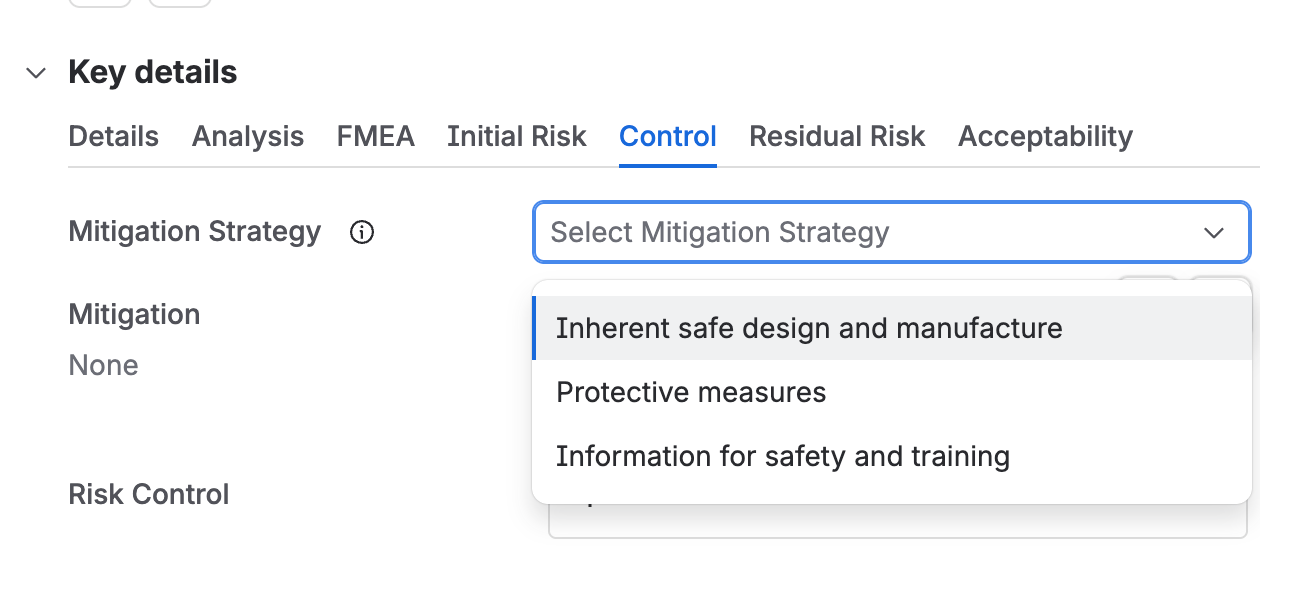
The Control tab with the Mitigation Strategy field open, offering inherent safe design and manufacture, protective measures, and information for safety and training.
Risk has to be reduced as far as possible, which is a stricter test than as low as reasonably practicable. Cost is not an acceptable reason to leave a control unimplemented. The only acceptable reasons to stop are that further reduction is not technically feasible, or that the control would introduce new risks or worsen the overall benefit and risk balance.
Link the control to a requirement
A mitigation with nothing behind it is a sentence in a register. Create or link a requirement for each risk control, and Design Control then carries its implementation and its verification, so the evidence that the control works is the same evidence the design record already holds.
- In the Risk control field, create or link the requirements that define the controls.
- Give each of those requirements the category Risk control, so it is identifiable as a control rather than an ordinary requirement.
- Move the risk to Residual.
Every risk control requirement carries the category Risk control. That category is what lets you show, in one query, that every mitigation in the register has a requirement behind it and that the requirement was verified.
| Leaving Control | Required fields |
|---|---|
| Any category | Mitigation, Mitigation strategy, Risk control |
Score the residual risk
The residual score is the same calculation as the initial one, run again with the controls in place. Severity does not move, because controls change how likely a harm is, not how bad it is.
- Set the Residual P1, the probability of the hazardous situation occurring now the controls are in place.
- Set the Residual P2, the probability of that situation going on to cause harm.
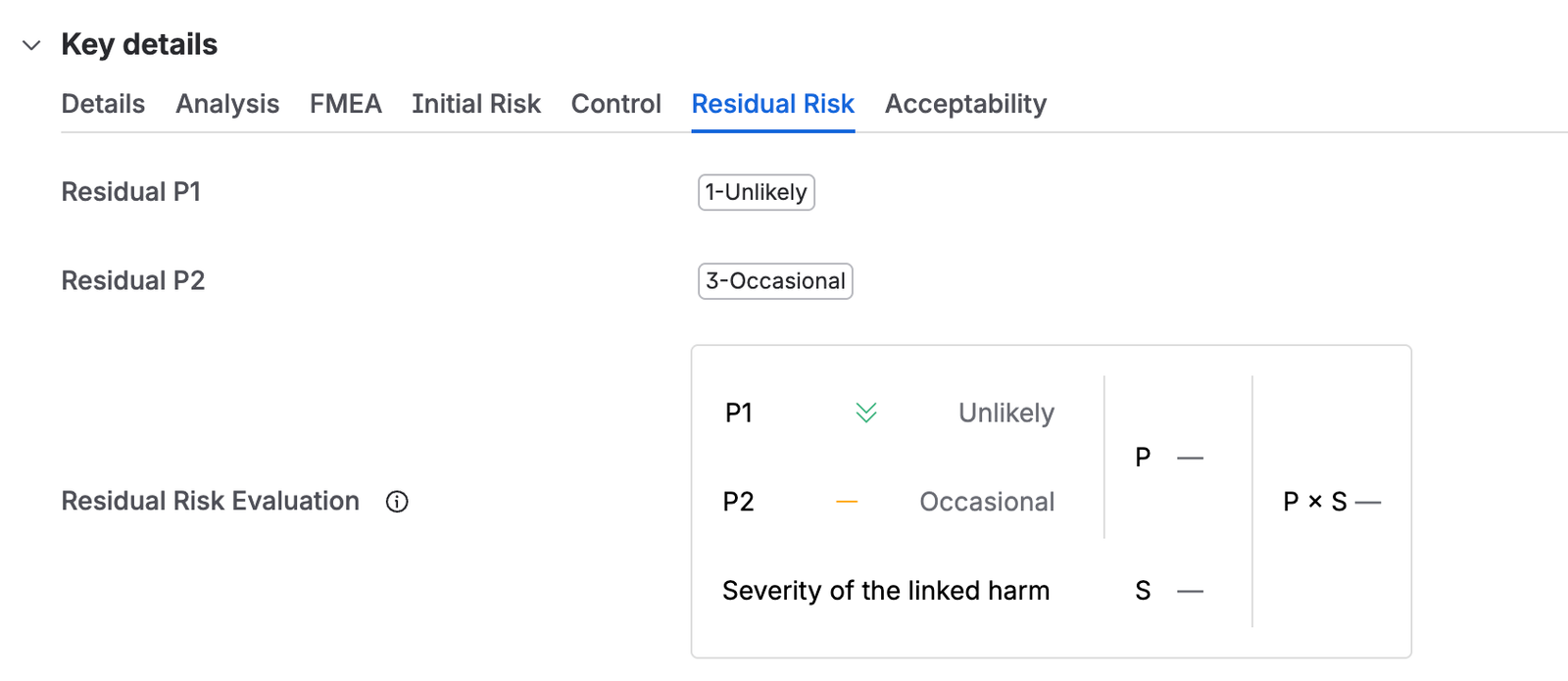
The Residual Risk tab, with residual P1 set to Unlikely and P2 to Occasional, and the evaluation panel combining them with the severity of the linked harm. - Write the Residual risk scoring justification, saying how the controls got you from the initial score to this one.
- Move the risk to Closure.
Use the Traceability tab on the Safety Risk page before you re-score. It shows each risk against the requirements controlling it and how far their implementation and verification have got, which is what tells you whether a control you are about to take credit for actually exists yet.
| Leaving Residual | Required fields |
|---|---|
| Any category | Residual P1, Residual P2, Residual risk scoring justification, Acceptable, Risk and benefit analysis |