
Version a BOM or part with a part change
A part change is a version. Every bill of materials and every part needs one before it can be used in manufacturing, and every part change is approved through change control. This is the record that makes the product structure controlled rather than merely written down.
Create a part change
The procedure is the same whether you are versioning a bill of materials or a part. Only where you start differs.
- In the Jira sidebar, open Apps and select Product Data.
- For a bill of materials, go to the BOM tab and select the one you are versioning. For a part, go to the Part tab and find it, or reach it from its bill of materials through the BOM root.
- In the context panel, open Changed by and create a new part change.
- Fill in the Summary and Description, then click Create.
- Add the content this version covers to the Change scope field: parts, components, files, or another product.
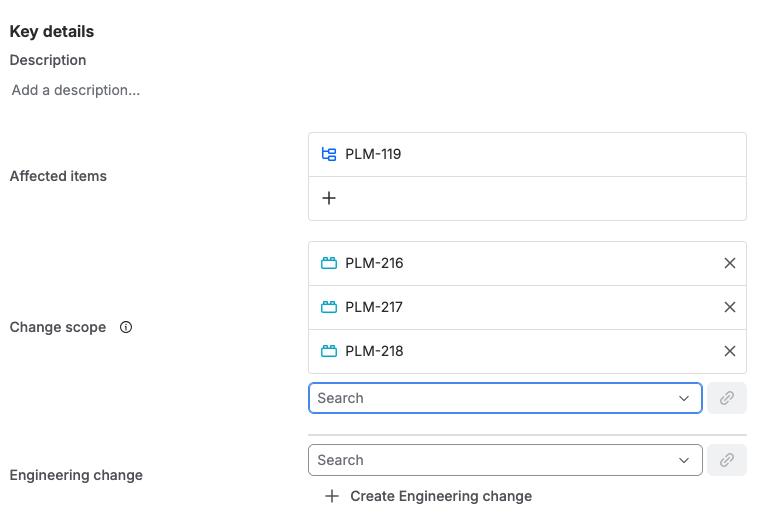
A part change with its affected item, three items in the change scope, and an Engineering change field offering to link an existing change or create one.
The Part Change tab in Product Data lists every part change across the site, open, released, and obsolete. It is the quickest way to see what is currently waiting on change control.
Prepare the next version
There are two ways to make a new version. Create a part change from scratch, as above, or clone the existing one, which is usually faster because the links come with it.
- Open the part change and click the ... menu at the top right, then select Clone.
- Make sure links are set to be copied. Without them the clone is an empty version rather than a starting point.
- Once cloning finishes, update the new part change with what actually changed.
Get it approved
A part change is not released by editing it. Link it to an engineering change, and the approval of that engineering change is what moves the part change to Released and lets the bill of materials or part above it become Active.
The statuses a part change moves through, and the rule about keeping canceled and rejected ones in the tree, are described under Key concepts.
Every part change in a bill of materials needs an engineering change behind it. That link is the whole control: without it a version has been written, not approved, and nothing downstream should be built from it.