
Accept, approve, and close a safety risk
The residual score is a number until someone accepts it. This guide covers the acceptability decision, the risk and benefit analysis that an unacceptable risk needs, and the signed approval that closes the item.
Decide whether the risk is acceptable
What counts as acceptable is configured per space, under the acceptability criteria in the app settings, so this is a comparison against an agreed threshold rather than a personal judgement. See Set up Safety Risks.
- Compare the residual risk level against the acceptability criteria configured for the space.
- If the risk is not acceptable, carry out a risk and benefit analysis, weighing the residual risk against the clinical benefit the product delivers.
- Record the outcome in Risk / benefit analysis summary, which offers four answers: the residual risk is acceptable, the benefits outweigh the risks, the risks and benefits are in balance, or the risks outweigh the benefits. Write the reasoning behind that answer in Risk / benefit analysis.
- Set Acceptable to yes or no on the Acceptability tab, once the analysis has been reviewed and agreed.
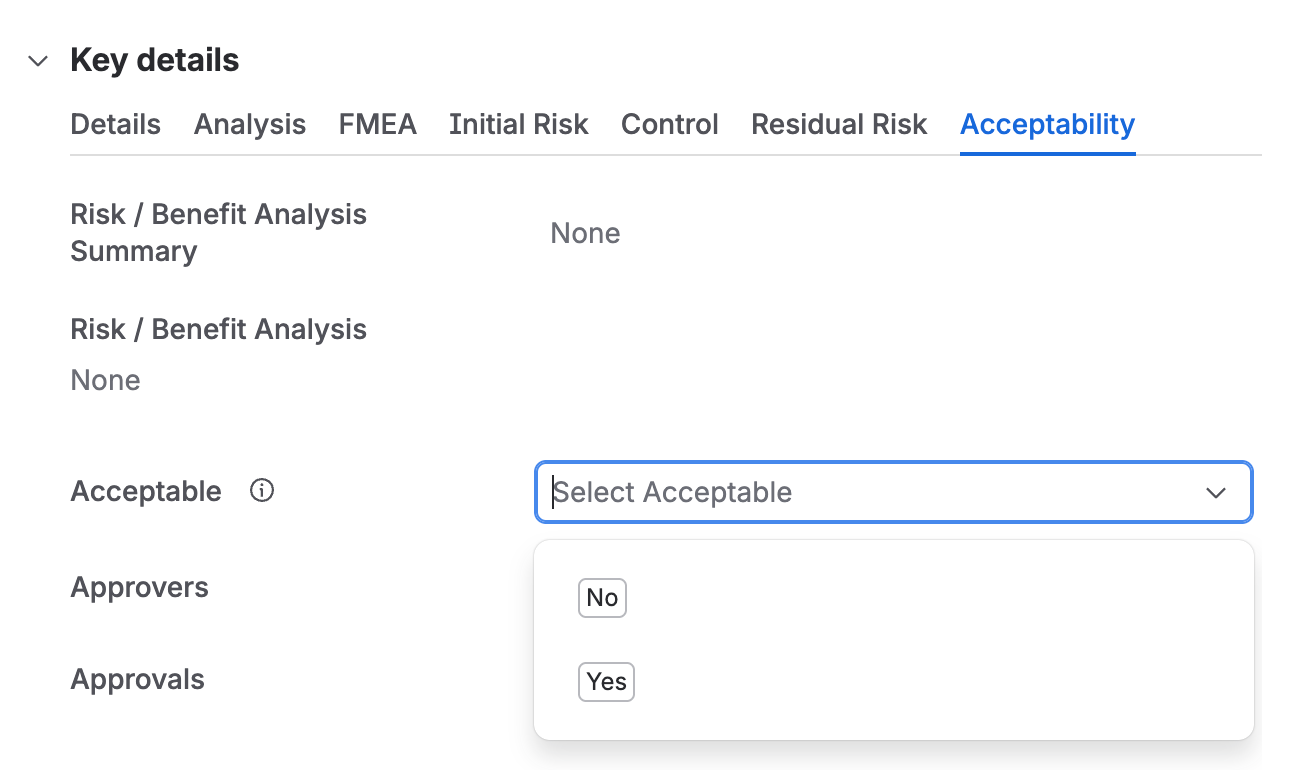
The Acceptability tab, with the risk and benefit analysis summary and detail above an Acceptable field offering No and Yes, then Approvers and Approvals.
A risk and benefit analysis is how a residual risk that exceeds the threshold can still be accepted, and it is only available once the risk has been reduced as far as possible. It is not a way of skipping a control that was feasible.
Send the risk for approval
- Add the people who will approve the risk to the Approvers field. Selecting them starts the approval.Qity recommends that every safety risk is approved by someone other than the person who assessed it.
- Set a due date where the approval is needed by a particular date.
Approve or reject a safety risk
Every approver does this individually, and the risk only moves once all of them have finished.
- Open the risk and click Approve or Reject, adding a comment where the decision needs explaining.
- Qity emails you a passcode. Enter it in the Signature dialog and click Sign. If it does not arrive, use Re-send.The passcode is what turns the decision into an attributable electronic signature, tying it to one identified person at a recorded time. See Standards and compliance.
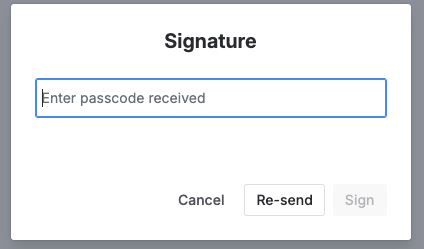
The Signature dialog, with a field for the passcode received and Cancel, Re-send, and Sign buttons. - The app verifies the password and records your decision.
What happens when everyone has decided
A closed risk cannot be reopened. If a closed risk turns out to be wrong, or the design changes underneath it, the record is corrected by assessing the risk again rather than by editing the closed one.
Export the register to a controlled document
- In Confluence, open the Draft Documents space and create a document of type Risk Register for your product.
- Complete the document, following the instructions written into the template.
- Take it through approval in Document Control.
Qity recommends a separate risk register document per risk category. A hazard analysis, a DFMEA, a PFMEA, and a URRA are read by different people and revised on different schedules, and splitting them keeps a revision to one of them from reopening all four.