
Manage components and files
Components and files are the company’s single list of items approved for use. A component is something bought off the shelf, a file is something made to your own design, and both are created once and then referenced by every bill of materials that needs them. That is the point: the same fastener across six products stays one traceable record.
Where a bill of materials says how items are combined into a configuration, this database says what those items actually are. A change to a component’s supplier, technical data, or approval status is visible immediately everywhere it is used, instead of having to be chased down part list by part list. An unapproved component entering a bill of materials is, in practice, an unapproved component entering the product.
Create a component
- In the Jira sidebar, open Apps and select Product Data.
- Go to the Components tab.

The Components tab, with panels for what is waiting on you, a breakdown by status, and warnings counting records with incomplete procurement or regulatory data. - Click New Component.
- Fill in the Summary and Description, plus anything else known at creation.
Create a file
- In Product Data, go to the Files tab.
- Click New File.
- Fill in the Summary and Description.
Complete the record
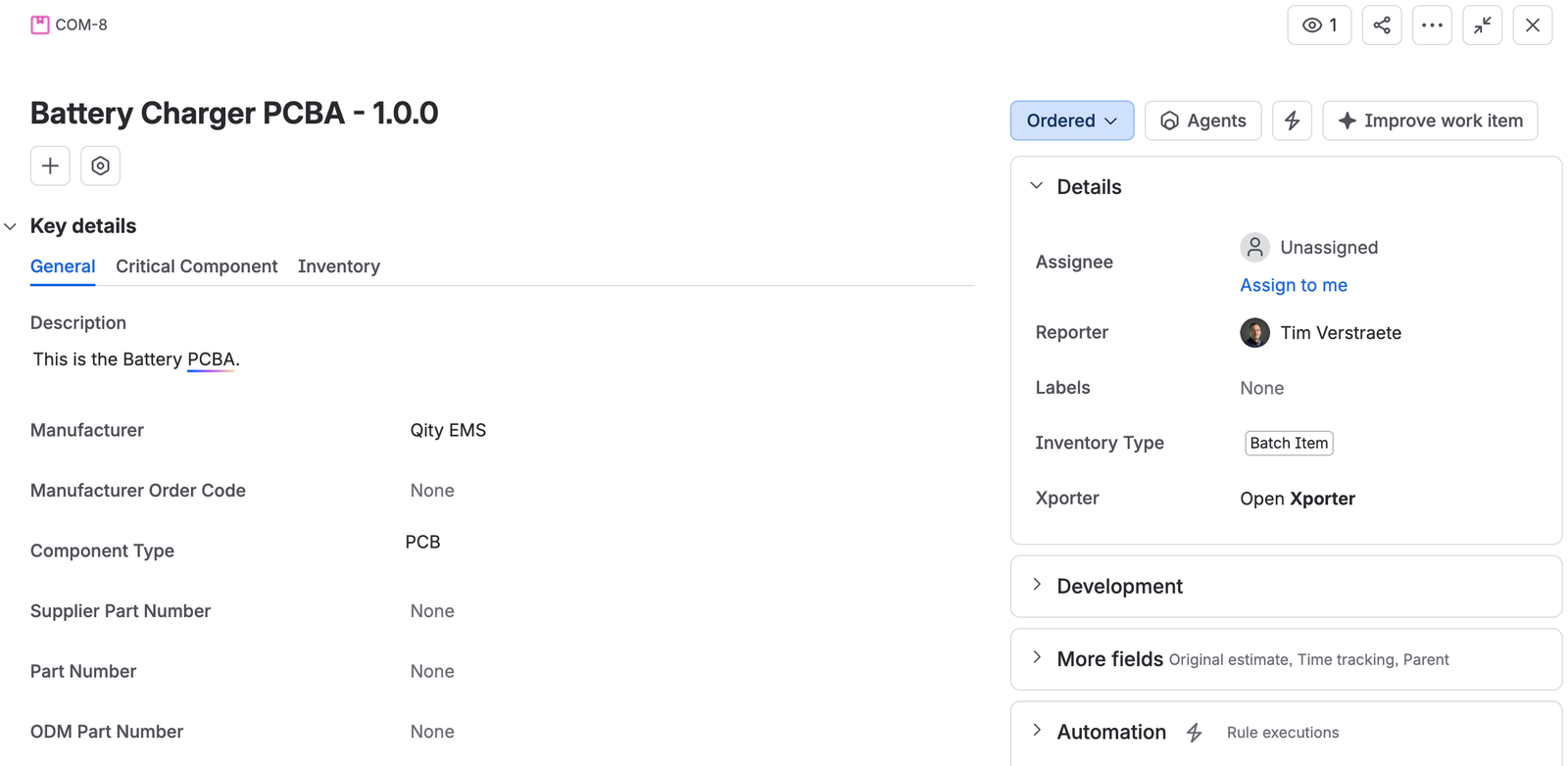
Components and files carry the same information, taken from the datasheet or from the manufacturer. Fill it in properly: engineering, purchasing, and quality all read this one record instead of keeping three inconsistent lists.
The record is split across three tabs.
| Tab | What goes in it |
|---|---|
| General | What the item is and where it comes from: the Manufacturer, the Manufacturer order code, the Component type, and the Supplier, Part, and ODM part numbers. Also the standards applied to its design and the marks of conformity it achieved. |
| Critical component | Whether the item is critical, plus the information a certified lab’s test report form needs to complete the critical component or high integrity component table of a safety standard. |
| Inventory | Minimum order quantity, unit cost and currency, lead time, and whether the item is tracked as a batch item or a serialized item. Incoming inspection sits here too, and is inherited from the parts that use it rather than set by you. |
A component or file must be linked to a supplier or a distributor. Without one, the record says what the item is but not where it can be got, which is exactly the gap that stops a build.
What is inherited from the parts
Two fields are not yours to set on the component or file. They are worked out from the parts that use it, which means a decision made in one product changes the item everywhere.
For a critical item, it is worth having at least one part that defines a PRS for it, so the specification behind the criticality is documented rather than implied.
The lifecycle
Components and files share one lifecycle, from draft through to obsolete, with Discouraged and R&D only as the two states that mean "usable, but not for this". See Key concepts for what each status means.