
Guide
Export a document
You can export any document to PDF, which is useful for sharing it outside Confluence or attaching it to a submission.
- Open the document in the Draft or Released space.
- Click the three dots at the top right, then select Apps → Export with Scroll PDF Exporter.
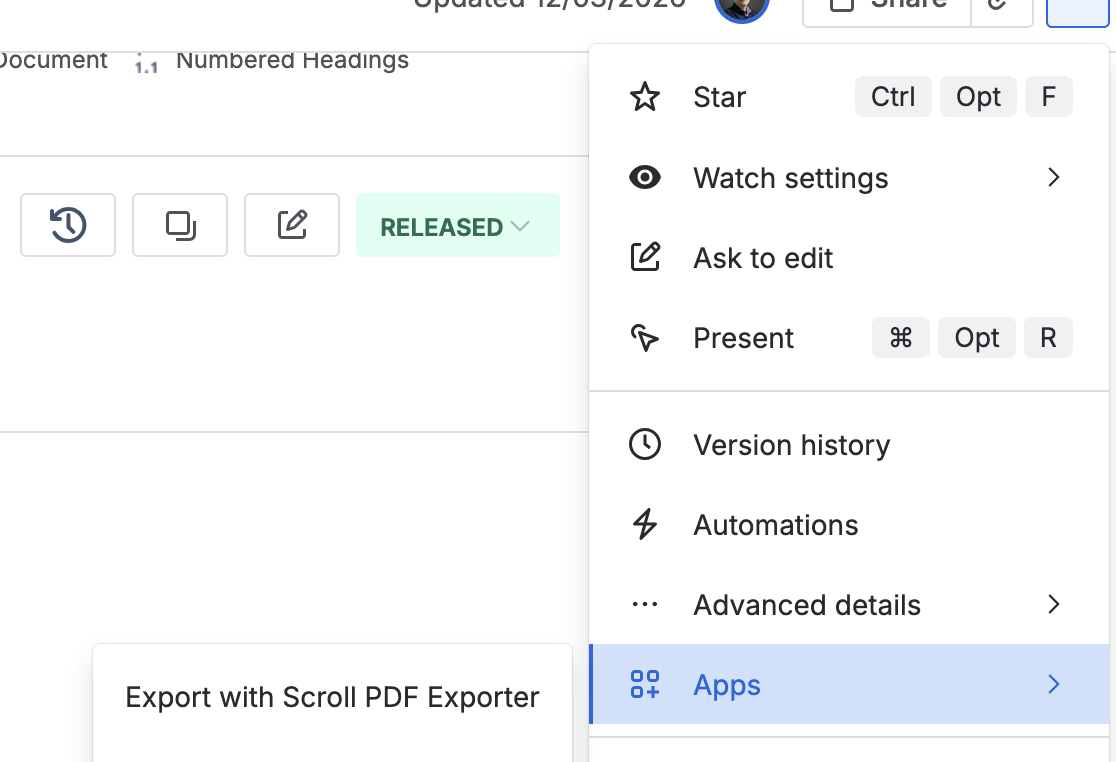
The three-dot menu, with Apps open and the Scroll PDF Exporter entry showing. - Select the correct export template and click Export.
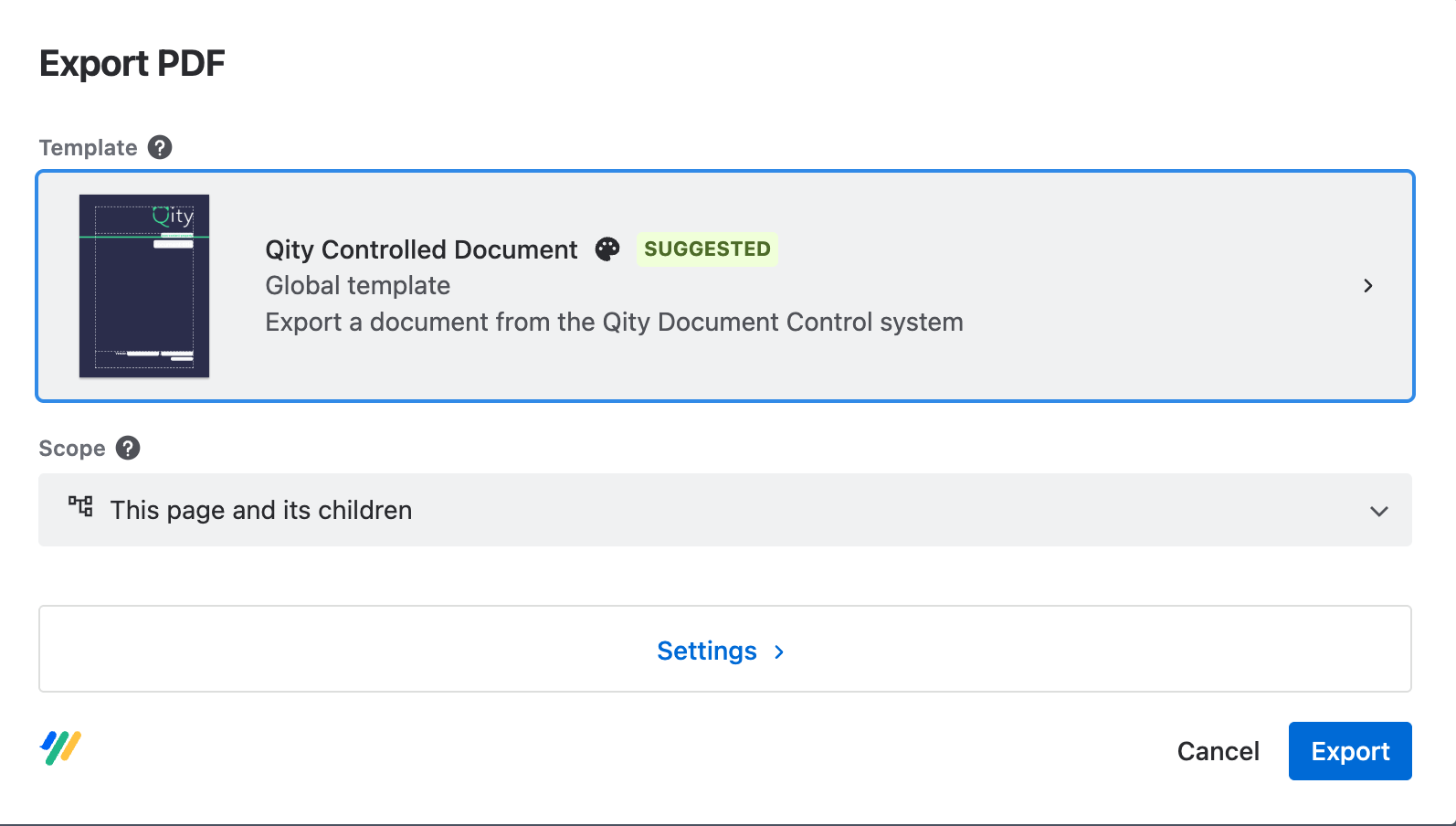
The export template picker. - A progress bar shows the export. When it finishes, open or download the PDF.
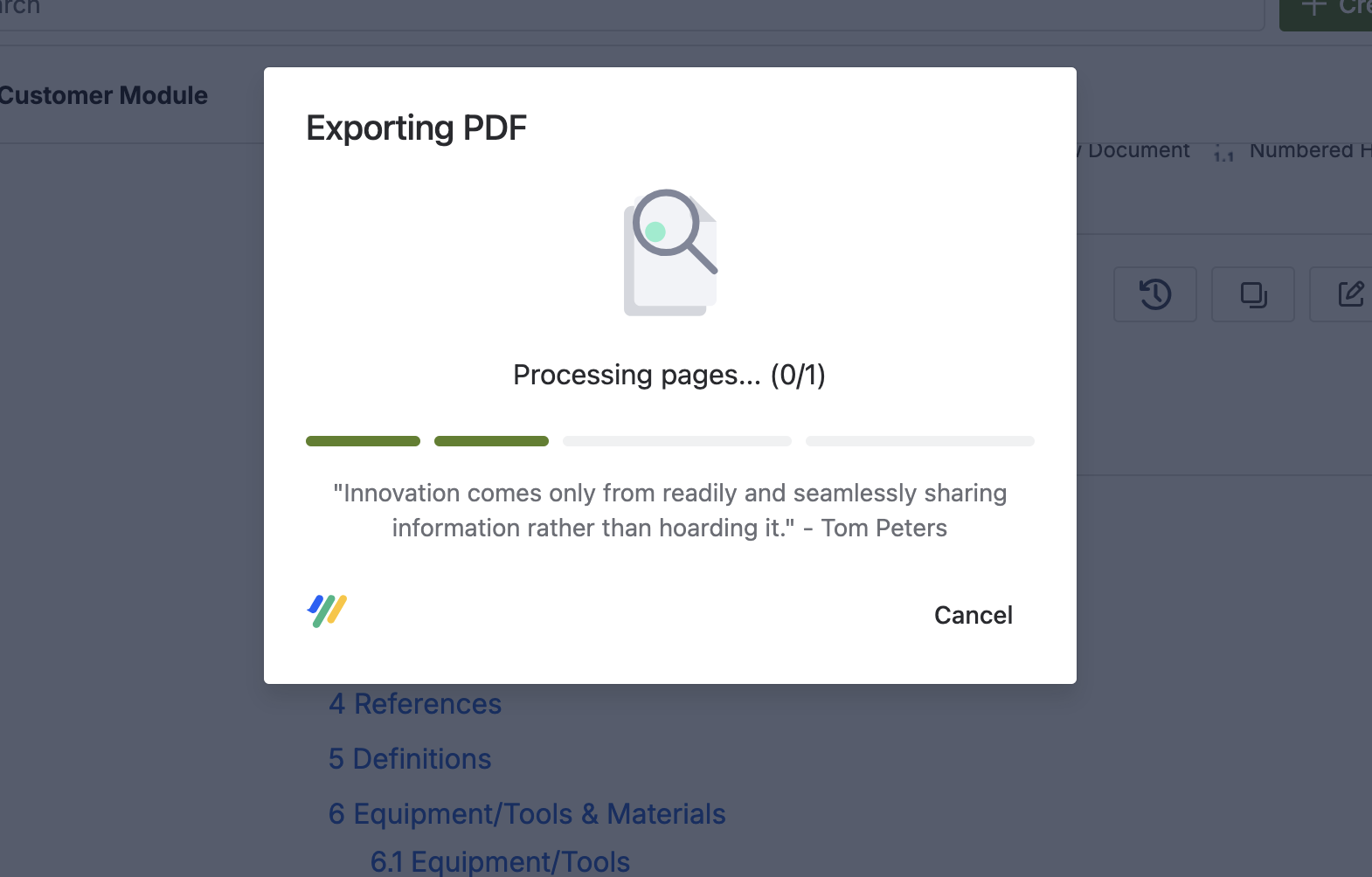
The finished export, offering to open or download the file.