
Guide
Obsolete a document
When a released document is no longer in use, obsolete it. Like every other lifecycle change, this one goes through approval.
- Open the document table in the Released space and open the document.
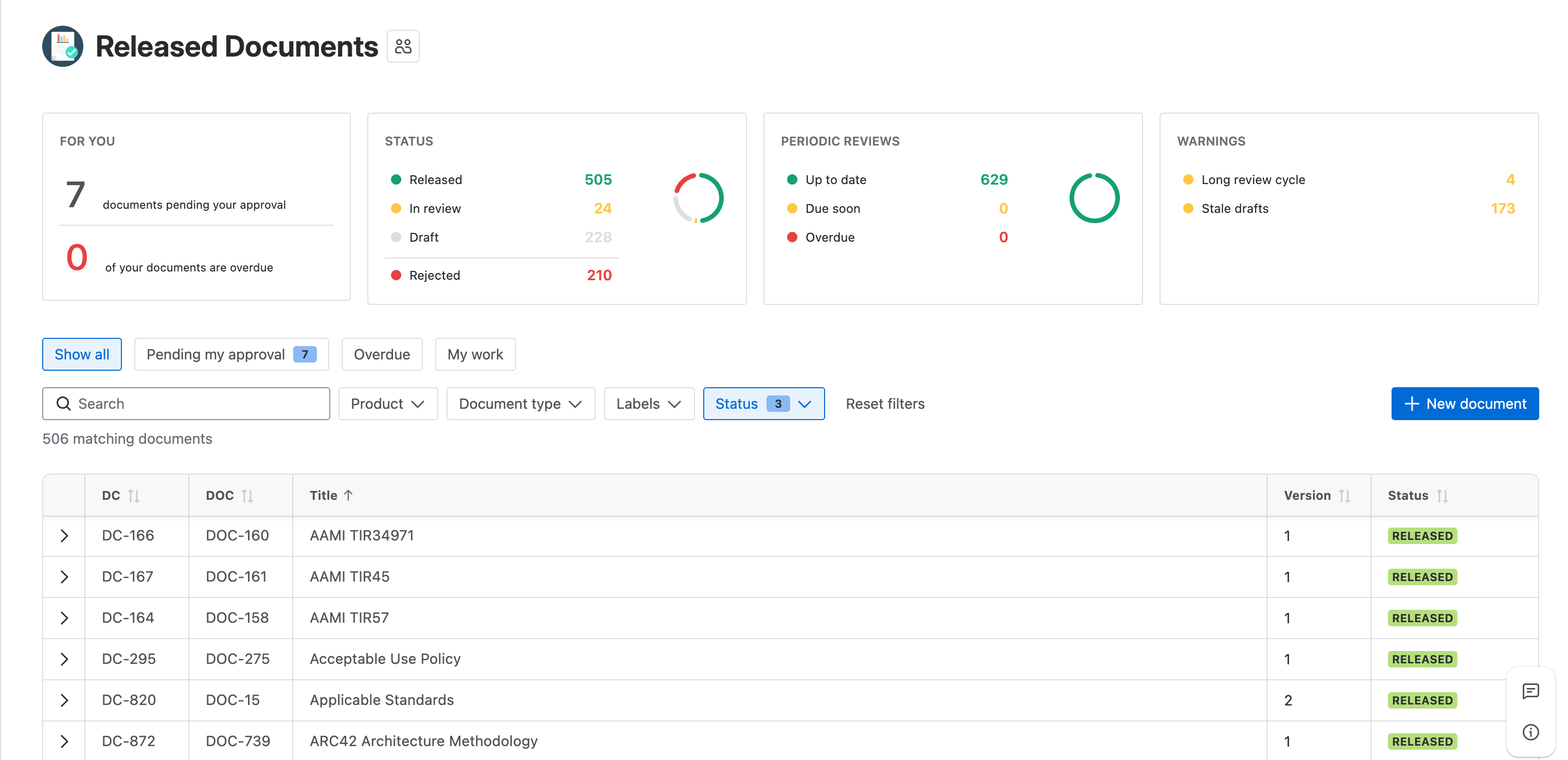
The Released Documents table, every row carrying a green Released status. - Click the document’s status, then Obsolete.
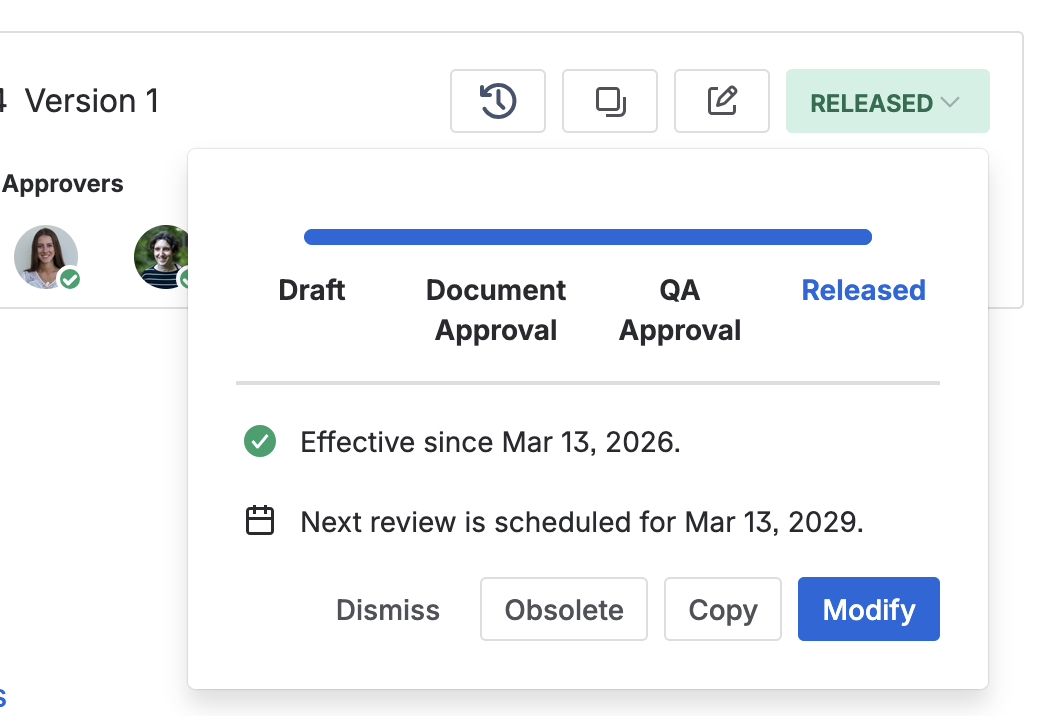
The status panel on a released document, offering Obsolete, Copy, and Modify, above the date its next review falls due. - Fill in the reason for the obsoletion and select the approvers for it.
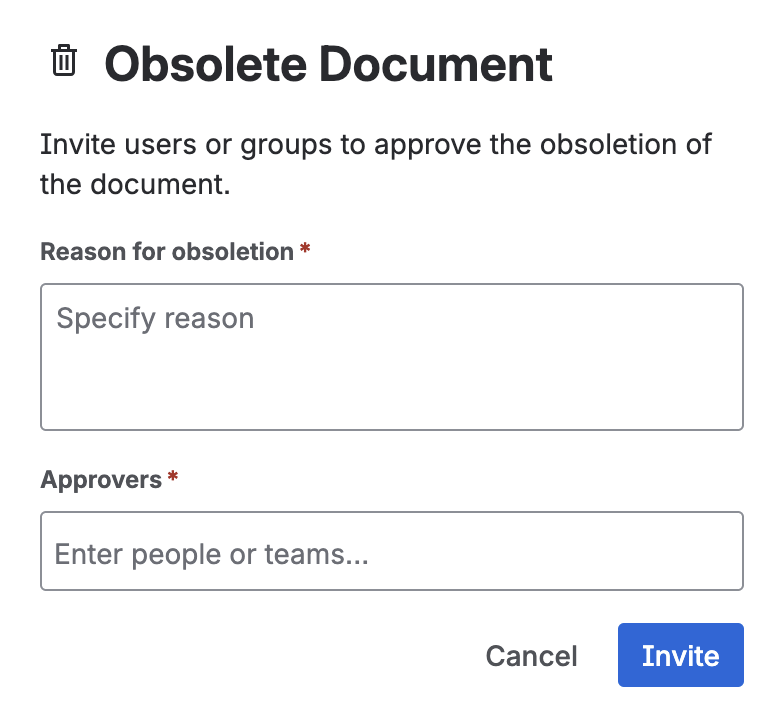
The reason field and the approver picker for the obsoletion. - Once every approver has approved, the document is archived.
Obsoletion uses the same approval process as any other change. Once archived, the document is no longer visible to standard users, but it stays accessible to QA through the space settings.