
Quality Events overview
Quality Events tracks what went wrong, what you did to contain it, and whether the fix actually worked, across five record types: deviations, nonconformities, CAPA, concessions, and improvements. Each runs with the same approval and audit trail as the rest of your quality system.
A quality event can start almost anywhere: a failed inspection, a customer complaint, an audit finding. Which record you open depends on what actually happened, not on where the problem was found.
What you can do
Record a deviation
A departure from an approved instruction, procedure, or specification. Every deviation carries a Planned field: planned when it is authorized before the work happens, unplanned when it is found after the fact.
Register a nonconformity
Product, material, or a component that fails to meet requirements. Its disposition decides what physically happens to the affected items.
Run a CAPA
Corrective and preventive action that eliminates a root cause so the problem does not recur. The plan of actions is reviewed and approved before implementation, then checked for effectiveness.
Grant a concession
A documented authorization to use or release something that does not meet requirements, limited in scope and by a validity period with a start and an end date.
Act on an improvement
An opportunity to make something better, rather than a failure to contain. ISO 13485 expects a quality system to act on these too, and an improvement can escalate into a CAPA when the fix turns out to be systemic.
How they connect
The five record types are not separate silos. Work can escalate from one into another, and closing a record can depend on tasks or approvals that live on a different one.
Use as is disposition strategy requires one.Records also link out to affected documents in Document Control, to affected training requirements, to risks, and to changes.
Where the work happens
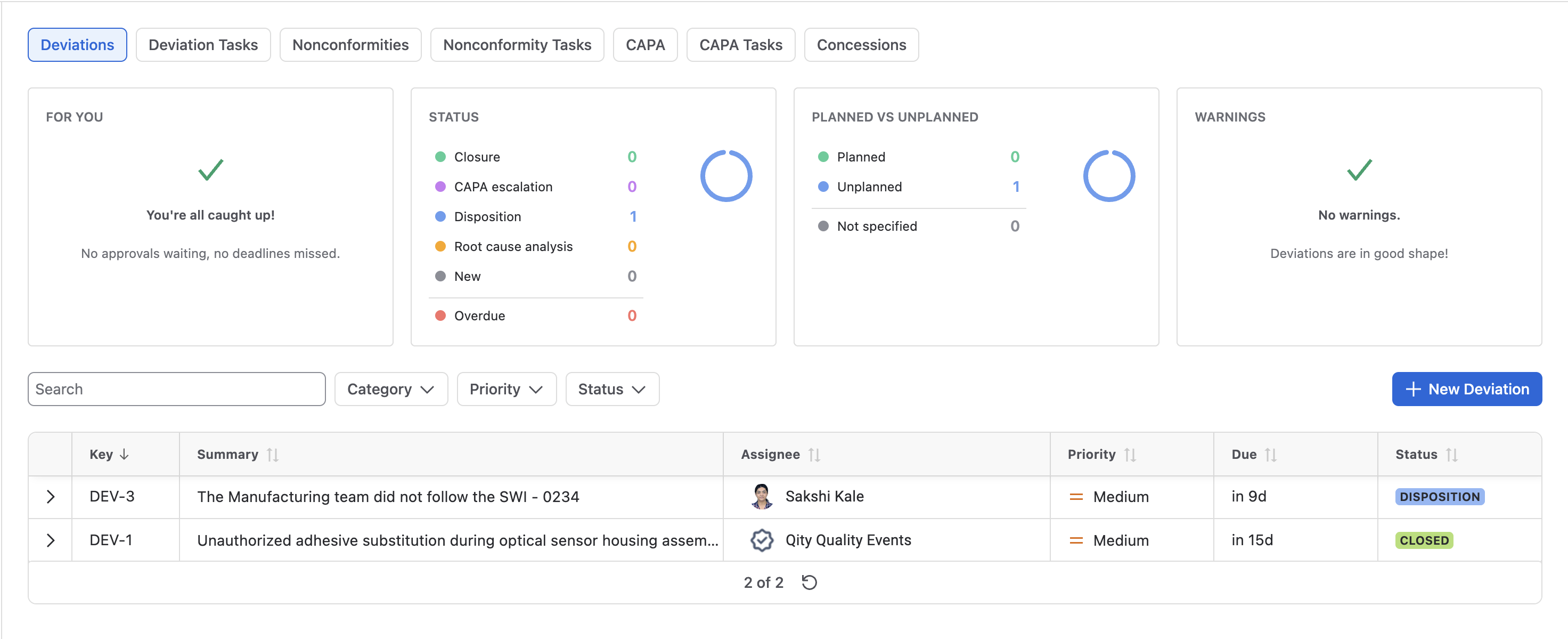
The record types live across four Jira spaces: Deviations (DEV), Nonconformities (NC), CAPA, and Concessions (CONC). Improvements sit in the CAPA space rather than in one of their own. Inside a space, the app appears as a space tab called Quality Events, with a sub-tab per record type and a Tasks sub-tab. Any record can also be reached from the space’s All work tab, filtered on the work type. To see across every space at once, open the Jira side menu, select Apps, then Quality Events.
Standards it supports
Quality Events supports the nonconformity control, corrective and preventive action, and deviation-handling requirements of ISO 13485. Every approval is signed by a one-time password, so each record carries an electronic signature attributable to one person. Configured correctly, that supports compliance with FDA 21 CFR Part 11.
New to Quality Events? Install it first, then read Key concepts for the vocabulary, then follow Manage a deviation to work through your first record start to finish.